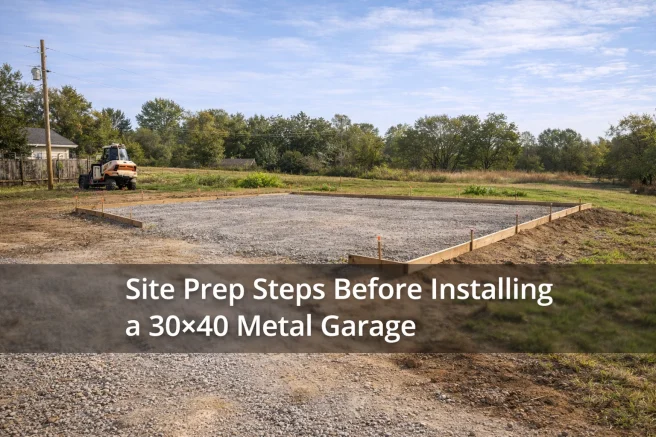


You’re staring at that open spot on your property, thinking about a shop, a garage, maybe a place to finally get your equipment under cover.
Then you look at a quote that says something like 30′ x 40′ x 12′ vertical roof, two roll-up doors… and it all feels a little flat.
Most folks do the same thing:
- Try to picture it in their head
- Pace out some rough dimensions in the yard
- Hope they’re guessing right
Sometimes they get lucky. A lot of times, they don’t.
I’ve seen people end up with:
- A building that feels smaller than they expected
- Doors in awkward spots
- Not enough height for the RV or lift they “might get later”
Most people don’t realize it until the concrete is poured and the steel is standing.
This is where our 3D design tool actually helps.
The short version
Our 3D Design Tool lets you build your metal building on the screen before you build it on your property.
You can:
- Set the size
- Adjust the height
- Move doors and windows
- Change roof style and colors
Every change shows up instantly, from all angles, without leaving home.
Instead of guessing how it’ll feel, you get to see it and fix the problems before you spend real money.
Why it’s so hard to picture a metal building on paper
I talk to people about this almost every day. The pattern is pretty much the same.
1. Sizing regrets
On paper, “24′ x 30′” or “30′ x 40′” sounds big enough.
In real use:
- Two trucks barely fit with doors opening
- There’s no good place for a workbench
- Once you add shelves, a mower, or a trailer, you’re boxed in
If you can’t see how your stuff fits inside, it’s easy to go too small.
2. Door placement headaches
Door placement causes more frustration than almost anything else.
Common problems:
- Overhead doors too close to a corner, so turning in at an angle is a pain
- Walk-in doors opening into the worst wind direction
- Side doors ending up behind where trailers or equipment usually park
On a spec sheet, “one 10′ x 10′ roll-up on the side wall” sounds fine.
In 3D, you can see it’s right where your truck or trailer will sit half the time.
3. Underestimating height
Height sneaks up on people.
On paper, 10′ vs 12′ doesn’t look like a big jump. In real life, it decides whether:
- Your RV fits comfortably
- You can add a lift later
- You have room for a mezzanine or storage loft
Once the building is up, wishing you went taller is a very expensive regret.
4. Layout and workflow
It’s not just “does it fit?”
It’s:
- Can you walk around vehicles or equipment?
- Is there a clear path from one door to the other?
- Where do tools, feed, or inventory actually go?
You won’t catch those issues from numbers on a sheet.
You do see them when you can spin the building around and picture yourself walking through it.
How our 3D Design Tool actually helps
This isn’t about fancy software. It’s about making things obvious before you spend money.
Here’s what the tool really does for you.
See the building from all sides
You’re not stuck with a flat drawing.
You can:
- Rotate the building
- Zoom in and out
- Look at it like you’re standing in the driveway or in the pasture
That alone fixes a lot of “I didn’t realize it would look like that” moments.
Change size instantly
Start with your best guess for size.
- Try 24′ x 30′
- Then bump it to 30′ x 40′
- See how much more breathing room that gives you inside
No re-drawing. No waiting on a new quote just to try a different size.
You click, it adjusts, you see the difference.
Move doors and windows where they actually work
You can drag doors and windows around on the walls in the tool.
That means you can:
- Line up doors with your driveway or existing pad
- Put walk-in doors where you naturally want to enter
- Place windows where you’ll actually want light (over a bench, not behind a cabinet)
Moving a door on a screen is free. Moving it in steel and concrete is not.
Test roof styles and colors
You can switch:
- Roof styles
- Wall colors
- Trim colors
- Door colors
Seeing it all together helps you avoid that “wish we hadn’t picked that color” feeling when it’s already built.
Understand real proportions
In 3D, the difference between:
- 10′ and 12′ tall
- 30′ deep and 40′ deep
stops being theoretical.
You see how tall the door looks, how much room there is in front of a parked truck, and how the building sits next to your house, barn, or fence line.
A realistic customer scenario
Here’s something I see a lot.
A customer (let’s call him Jake) wanted a combo garage and workshop behind his house. He said:
“I think 24′ x 30′ with one big door will do it. Just need room for my truck and a little work area.”
Instead of just writing that up, we opened our 3D Design Tool.
- We picked his state.
That made sure he saw the right options and pricing for his area. - We started with his idea: 24′ x 30′ x 10′.
We added one large roll-up door on the front and a walk-in door on the side, then looked at it from the top and sides. - He saw how tight it really was.
With a truck drawn in roughly to scale, it was clear he’d be backing almost into the back wall. No room for a decent bench or storage. - We stretched it to 30′ x 40′ and went taller.
In the tool, we changed the dimensions, bumped the height to 12′, and added a second roll-up plus a window over his future workbench. - The difference was obvious.
Now he could see walking space around the truck, a proper bench area, and room for shelves. He said, “If we’d just ordered my first idea, I’d be out of space on day one.”
The 3D tool didn’t “sell” him anything. It just showed him what his idea really looked like and helped him fix it before it was permanent.
What you can actually test inside the tool
You’re not just clicking random buttons. You’re dialing in things that matter day to day:
- Building size – width and length for the footprint
- Height – so doors, RVs, tractors, or lifts clear comfortably
- Door placement – overhead doors, walk-in doors, spacing between them
- Roof style – different profiles that suit your weather and taste
- Colors – walls, roof, trim, sometimes doors
- Open vs enclosed areas – lean-tos, open bays, or fully enclosed sides
You can save one version, tweak it, and compare.
You can also share it with family, business partners, or local building officials if needed.
Simple comparison
Here’s the difference between guessing and seeing:
| Without 3D Tool | With 3D Tool |
|---|---|
| Guessing sizes | Seeing real proportions |
| Door placement mistakes | Layout adjustments before ordering |
| Regrets after install | Confident decisions upfront |
| Hard to visualize space | Full 360° view of the building |
Common mistakes this tool helps you avoid
I’ve seen all of these in the field. The tool makes them a lot less likely.
Too-small garages and shops
You think you’re building “plenty big.”
Then you try to:
- Park vehicles
- Add a workbench
- Store a mower or ATV
and suddenly it feels cramped.
Seeing the floor space in 3D, with doors and walls drawn to scale, helps you justify going a little bigger when you truly need it.
Doors in the wrong spot
You can see:
- How you’ll pull in and out
- Where trailers might sit
- Whether a side door gets blocked by vehicles or equipment
Sliding a door a few feet in the tool is easy.
Living with a bad layout for years isn’t.
Not enough height
If that RV, boat, tractor, or future lift looks even close in the 3D view, that’s your sign to fix the height and door size now, not later.
Poor workflow inside
You can mentally walk through your routine:
- Bringing equipment in one door
- Working on it in the center
- Storing tools, feed, or inventory along the walls
If it feels like a maze in your head, you can adjust the design until it flows better.
Short FAQs about the 3D Design Tool
Do I need design experience to use the 3D tool?
No. If you can click, drag, and pick from a list, you can use it. Most people figure it out in a few minutes, and if you want, we can talk you through it while you’re looking at your screen.
Can I see different roof styles and colors?
Yes. You can switch roof styles and change wall and trim colors, and the building updates instantly. It’s the easiest way to make sure it matches your house, barn, or other buildings.
Will pricing change as I design?
Yes. As you adjust size, height, doors, and other options, the price updates based on your state and chosen features. You can see what each change does to both the building and the budget.
Can I save or share my design?
You can save your design and come back later, or share it with family members, business partners, or local officials so everyone’s looking at the same plan.
What if I’m not sure what size I need?
Start with your best guess and use the tool to “test drive” a few sizes. Picture your vehicles, equipment, or plans inside. If you’d like a second opinion, our team at American Metal Buildings can open your design on our end and give you straightforward feedback.
What if I’d rather have someone help me from the start?
That’s fine. We can be on the phone with you while you use the 3D tool, helping you choose sizes, move doors, and dial in details until the building feels right.
Design your building the calm way
Planning a metal building doesn’t have to feel like a gamble.
When you can see the building, walk around it on the screen, adjust it, and sit with it for a bit before you order, you make better choices. You end up with a building that fits the way you live and work, not something you’re constantly working around.
At American Metal Buildings, we offer:
- Custom metal buildings for homes, farms, and businesses
- Nationwide service
- Free delivery and installation in most areas
- Options to match your climate, property, and budget
If you’re ready to stop guessing and actually see what you’re getting, you can start your design in our 3D tool today.
And if you’d rather talk it through with someone, our team at American Metal Buildings can walk you through the same design options and help you dial in the right size and layout before anything gets ordered. No pressure, just straight talk so you get it right the first time.
 Perplexity
 ChatGPT